How to remake a viral TikTok for your app, with data from 2,962 app reels
We pulled every reel in Fayro's catalog that sells an app or software and looked at what the ones past a million views have in common. Then we remade one.
By Dain Jung, co-founder of Fayro
Most app teams make short-form video the same way. Someone has an idea, films it, posts it, and it stalls under 500 views. The idea was a guess, and so was the hook, the length and the edit.
A remake starts from a reel that already held millions of people. You keep how it's built (the beats, the shots, the pacing, the look of the text) and replace everything people see and hear with your own app, your own words and a new presenter. You aren't reposting someone's video. You're borrowing a structure that's already been tested on a real audience.
To see which structures work for apps in particular, we looked at the reels in Fayro's catalog that sell software. Here is what we found, and how we remake one.
What we looked at
- viral reels in Fayro's catalog
- 1.45M
- analyzed shot by shot
- 72,401
- of those sell an app or software
- 2,962
- app reels past a million views
- 603
Fayro's catalog holds about 1.45 million TikToks, Instagram Reels and YouTube Shorts that broke out. For 72,401 of them Fayro has a full read of the video, including its format, length, number of cuts, who is on screen, how much of it shows a phone or app screen, and what it sells. 2,962 of those sell an app or other software. That's about 4% of the analyzed reels, and they are the set this post is about.
One number to keep in mind is that app reels get fewer views than reels in general. The median app reel in the catalog has about 105,000 views. The median for everything else is about 568,000. People don't open TikTok to watch ads, so the bar for an app reel is higher, and picking the right structure matters more.
1. Pick a format that already works for apps
Median views by format, app and software reels
Median views per reel. Formats with 60 or more reels.
- Skit311 reels367K
- Interview74 reels229K
- Before and after66 reels199K
- Vlog237 reels197K
- Review271 reels126K
- Storytime74 reels121K
- Tutorial1,159 reels113K
- Talking head997 reels95K
- Listicle292 reels77K
The format most app teams reach for is the tutorial (here's how the app works) or a founder talking to the camera. Those are also the most common formats in the set, with 1,159 and 997 reels. They are near the bottom on views.
Skits do best by a wide margin. A skit is a short scripted scene, often two people or one person playing two roles, where the app solves the problem at the end. The median app skit has 367,000 views, more than three times a tutorial, and 35% of app skits passed a million views compared with 19% of tutorials. Interviews and before-and-after videos come next.
So before you pick a reel to remake, check its format. If the reel is a skit or an interview with a clear problem in the first seconds, it has a better track record for apps than a screen recording with a voiceover.
2. Aim for 30 to 60 seconds
Share of app reels past a million views, by length
Percent of reels in each length band that reached 1M views.
- Under 15 s359 reels12%
- 15 to 30 s589 reels15%
- 30 to 60 s1,244 reels24%
- Over 60 s770 reels22%
Short is the usual advice for TikTok. For app reels it doesn't hold up. Reels under 15 seconds reached a million views half as often as reels between 30 and 60 seconds. An app needs a few seconds to show the problem and a few more to show the fix, and a 10-second video rarely has room for both.
Past a minute the numbers dip a little. The middle band, 30 to 60 seconds, is where most of the million-view app reels sit.
3. Cut more often, and show the app on screen
| Past 1M views (603) | The rest (2,359) | |
|---|---|---|
| Cuts per reel | 13 | 7 |
| Length | 46 s | 40 s |
| Show a phone or app screen | 57% | 51% |
| Time the app is on screen | 9% | 4% |
| Two or more people on screen | 40% | 31% |
App reels past a million views compared with the rest (medians and shares)
The app reels past a million views have almost twice as many cuts as the rest, 13 against 7, while being only a few seconds longer. That means a new shot every three or four seconds. A single take of someone talking is easy to make and easy to scroll past.
They also show the app more. The median hit keeps the phone or app screen in frame for about 9% of its running time, more than twice the share of the rest. In a 45-second reel that's around four seconds of your actual product, usually at the moment the problem gets solved.
More of them have two or more people on screen, which fits the skit result above. A conversation gives the viewer someone to side with.
4. Map the reference beat by beat
Once you've picked a reel, write down its beats before you change anything. A beat is one unit of the video, such as the hook, the problem, the turn and the payoff. For each beat note the time it starts, the shot (who's in frame, from what angle), the words on screen and where they sit, what's said, and what the sound does.
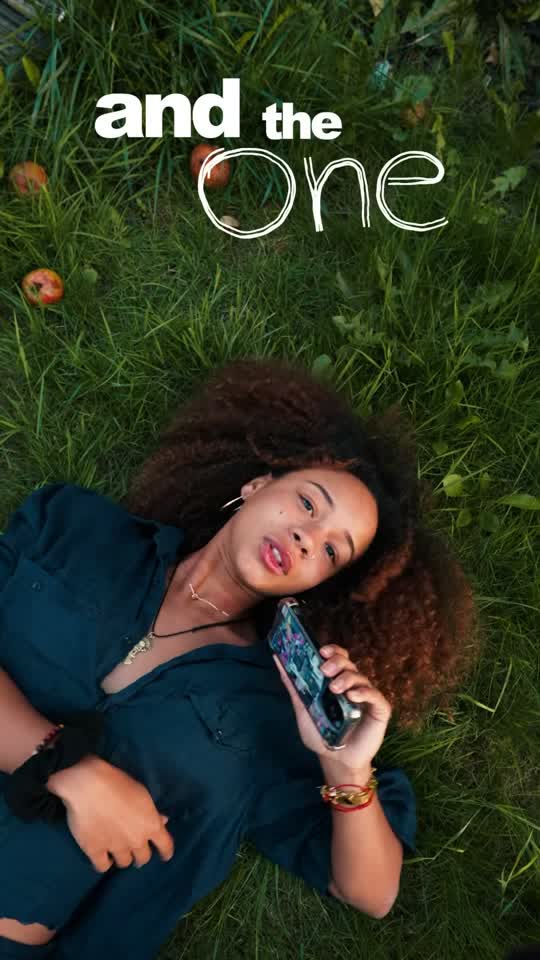
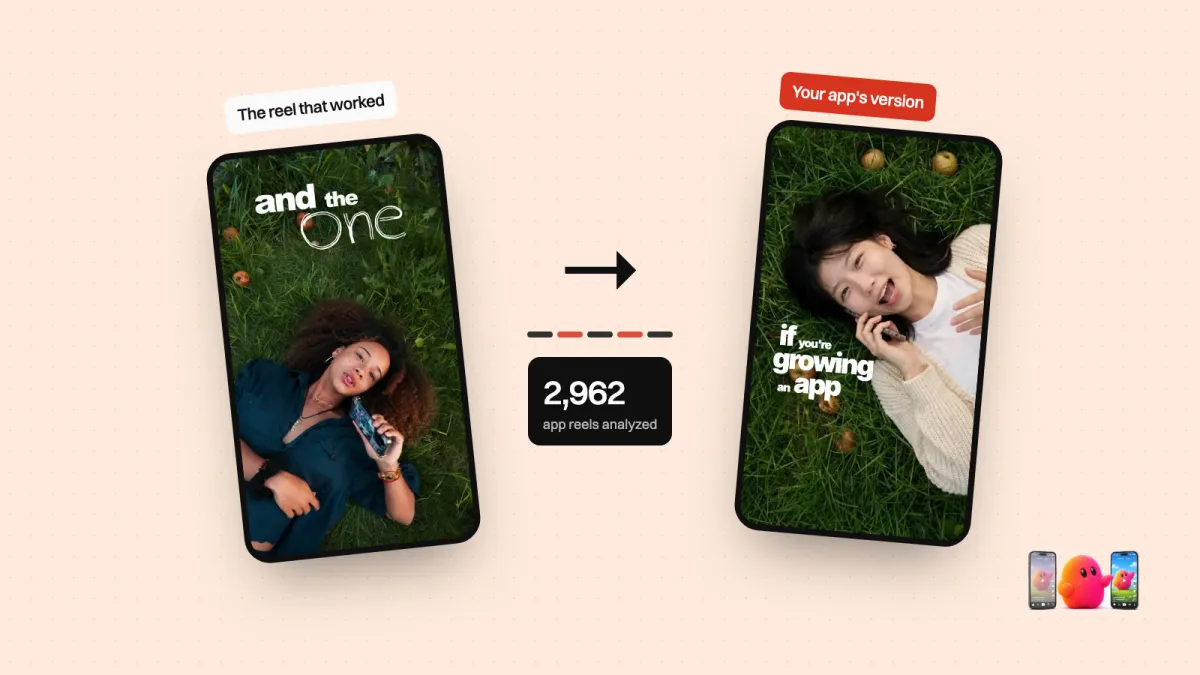
Here is a remake we made with Fayro. The reference is an Instagram reel by @mariadonofrio_ for an app. We kept the overhead shot in the grass, the hand-drawn lettering, the contour-line animation and the timing of every beat. The presenter is an AI character, and the words are about growing an app.
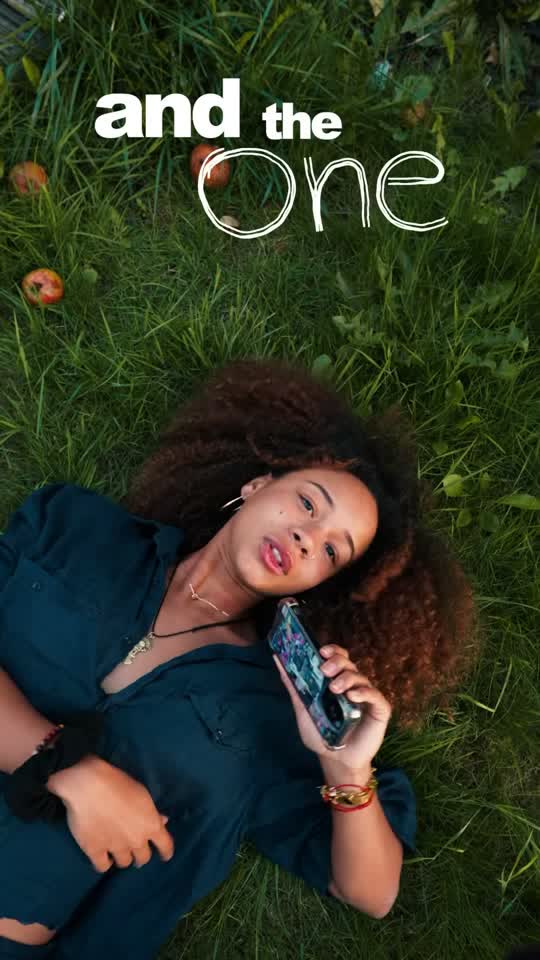
 Beat 01HookSame overhead shot and the same big, mixed-weight words over the face. Only the line changes, now speaking to app makers.
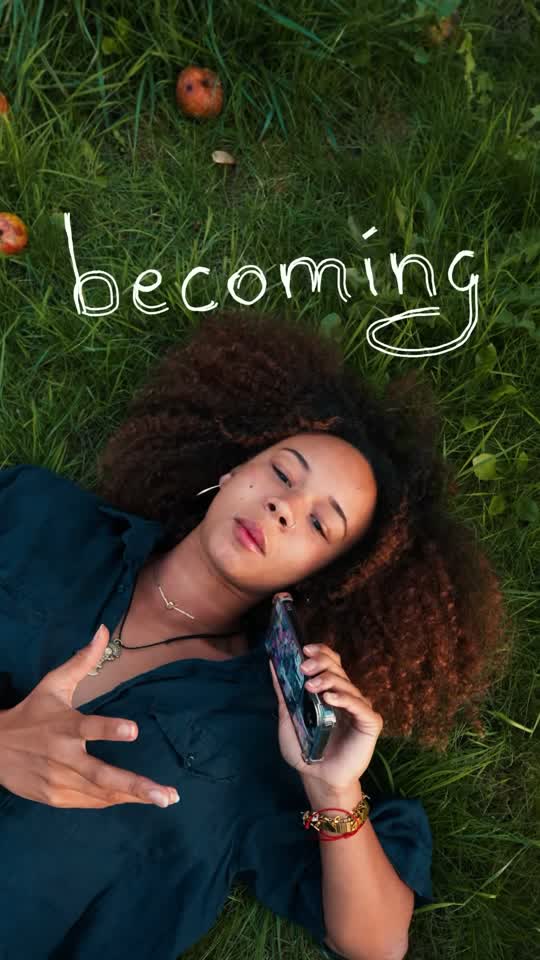
 Beat 02TurnThe handwritten word sits in the same corner and draws on at the same moment, with a new word.

 Beat 03PayoffThe contour lines and the seated framing carry over. The word lands on what the product does.
Writing the beats first keeps you honest. If your new script needs a beat the reference doesn't have, or skips one it does, you're making a different video, and the reason you picked the reference no longer applies.
5. Keep the skeleton, swap everything people see and hear
| Keep from the reference | Make new |
|---|---|
| The order and timing of the beats | Every word, spoken and on screen |
| The shot types and camera angles | The person on camera (you, a teammate or an AI presenter) |
| How often it cuts | The footage, props and setting |
| Where text sits and how it moves | The product shown, your real app screens |
| What the sound does (a beat drop on the payoff, a pause before the turn) | The sound itself, using audio you have the right to use |
What a remake keeps and what it replaces
A format is an idea, and ideas generally aren't protected the way footage, a person's likeness, words and music are. That's why a remake replaces all of those. If a viewer could mistake your video for the original, you kept too much.
Put your app in the beat where the reference solves its problem. In the data above, the hits keep the app on screen for a few seconds at that point. Use real screens from your app, not a mockup.
6. Post it and compare against your own usual
Don't judge a remake by the reference's views. That account had its own audience. Judge it against yours. Take the median views of your last ten posts, then check the remake at 24 hours, 3 days and 7 days. Three times your usual is a breakout for your account, even if the number looks small next to the original.
If it doesn't break out, change one thing for the next remake, such as a different reference in the same format, or the same reference with a stronger first line. Keep a list of which references you used and how each did, so you learn which formats your audience responds to.
A small account isn't a dead end
App reels that reached 10 times the account's followers
Percent of app reels in each account size band with views at least 10× followers.
- 1K to 10K followers93 reels40%
- 10K to 100K1,137 reels25%
- 100K to 1M1,361 reels12%
- Over 1M369 reels3%
Big accounts get more views in raw numbers. But measured against their own size, the small ones break out far more often. Of the app reels from accounts with 10,000 to 100,000 followers, a quarter reached ten times the account's follower count. Short-form feeds show videos to people who don't follow you, so a good structure can travel further than your audience.
Doing this with Fayro
Fayro handles most of this. Paste your app's link and it reads what your app does, then finds reels in its catalog that fit it, with why each one fits. Pick one and Fayro writes your version beat by beat, the way the table above lays it out. Your Claude makes the video with an AI presenter and your real app screens, Fayro posts it when you press Post, and it reports the views at 24 hours, 3 days and 7 days against your usual.
Finding reels and your first two remake plans are free. The steps are on how Fayro works, and prices are on the pricing page.
Questions
Is remaking a viral TikTok allowed?
Copying someone's video, their footage, voice or music, isn't. A remake keeps only the structure and makes everything people see and hear new. Use sound you have the rights to, such as the platform's own sound library when you post there.
How long does one remake take?
Writing down the beats is the quick part. Making the video depends on the format. A skit with two people takes longer to film than a talking head, which is one reason an AI presenter helps a small team.
Do I need to be on camera?
No. You can use a teammate, an AI presenter, or a format with no face at all. The faceless TikTok guide covers the formats that work without one.
Find the reels that fit your app
Paste your app's link and see 8 viral reels that fit it, free.